breadcrum image

Frequently Asked Questions

  • Home Frequently Asked Questions

Direct answer to your question

The most frequently asked questions about Snappshot

Do you have a question about our services and products? No problem! We have already listed the most common questions and answered them for you. Do you have another question? Feel free to contact our support team by sending us an email or starting a chat.


Are my party photos public or private?

Your party photos are private at all times. Only after approval do they become available to all guests, through a link to the personal album. 📸✨

Does Snappshot work for every party?

Of course! You can use Snappshot for any type of party as long as you have a (large) screen or projector available to present the photo feed. Creating an account and setting it up takes just 60 seconds!

How long do my photos stay available?

Your photos stay available on our MYSnappshot platform for 30 days after the party. After that they're removed. 📸✨

Do you offer custom solutions?

Absolutely! We're happy to think along with you about the best options for your party and make sure everything fits your wishes perfectly. Just send an email to info@snappshot.nl and we'll discuss what's possible! ✨

Do you also have photoboots for parties?

Yes, we also offer a photobooth for parties! Interested? Send an email to info@snappshot.nl for more information. 📸✨

Does Snappshot work for every party?

It does! 🎉 Snappshot works for any type of party, as long as you have a (large) screen or projector to show the photo feed. Setting up your account and configuring everything takes just 60 seconds in MYSnappshot! 🚀📸

What is Snappshot and how does it work?

Snappshot is the interactive party tool that makes every party unforgettable! 🎉 With the Snappshot app, guests can easily take photos that appear straight on the photo feed via a unique party code. 📸 After the party, all photos are easy to look back on, download and share through MYSnappshot. ✨

Do I need to use the Snappshot app to take photos?

Photos can only be uploaded through the Snappshot app, which keeps things simple and accessible for everyone! 📸 Guests take photos in the app and they appear on the photo feed right away. ✨

Can Snappshot be used for business events?

Definitely! Snappshot works just as well for private parties as for business events — whether it's a conference, seminar, company party or team building day. 🎉📸

Can I share the photos with friends and family?

Absolutely! 🎉 You can share your party photos with friends and family straight away using the link to your Snappshot album. Everyone can view, download and share the photos, so the memories last forever! 📸💌 (Note: available up to 30 days after the party.)

Is it easy to become a Snappshot partner?

It is! 🎉 Whether you're a DJ or you run a party venue, becoming a Snappshot partner is really straightforward. We offer simple integration options so you can get started quickly. As a partner you get access to exclusive benefits and you can offer your clients a great photo experience. Get in touch and we'll tell you all about it! 📸✨

Are photos taken with Snappshot good quality?

Yes, every photo taken with Snappshot is high quality! 📸✨ Our platform makes sure the images are sharp and clear, so you can share every memory in top quality. Do bear in mind that quality also depends on the device you use — if your phone dates back to the old Nokia days, the photo may be a little less sharp. So use an up-to-date device for the best results! 🎉

Can anyone become a Snappshot reseller?

Absolutely! 🎉 Whether you're a DJ or run an event venue, becoming a Snappshot partner is super easy. We offer simple integration options, so you can get started quickly. As a partner, you’ll gain access to exclusive benefits and be able to offer your clients an amazing photo experience. Get in touch with us and we’ll tell you all about the possibilities! 📸✨

Are you an alternative to the disposable camera?

Snappshot is a modern alternative to the disposable camera! 🎉 Instead of physical cameras and prints, you get digital photos straight away and can show them live on the feed. It's fast, easy and your memories are always within reach. On top of that it's the greener choice, because there are no disposable cameras involved! 📸✨

Does Snappshot work for every party?

It does! 🎉 Snappshot works for any type of party, as long as you have a (large) screen or projector to show the photo feed. Setting up your account and configuring everything takes just 60 seconds in MYSnappshot! 🚀📸

What does Snappshot cost?

The cost depends on the package you choose! 🎉 We offer several options, including the possibility to add extra users, so you can tailor Snappshot exactly to your party or event. Looking for a custom quote? Get in touch through our website and we'll be glad to help. 📸✨

Can Snappshot be used anywhere?

It can! 🎉 Snappshot works for any type of party or event, as long as there is a screen or projector available to show the live photo feed. Make sure you have a stable internet connection too and you are ready to go! Setting up your account and configuring Snappshot takes just 60 seconds. 🚀📸

Will we get a regular stream?

Of course! You can use Snappshot for any type of party as long as you have a (large) screen or projector available to present the photo feed. Creating an account and setting it up takes just 60 seconds!

Will we get a regular stream?

Of course! You can use Snappshot for any type of party as long as you have a (large) screen or projector available to present the photo feed. Creating an account and setting it up takes just 60 seconds!

Can I download my photos after the party?

After the party you'll receive a link to all the photos taken. You can use that link to share the photos with your guests easily. 📸 Note: photos are available to download for up to 30 days after the party! ⏳

Can I create a photo album through your app?

Guests can submit photos throughout the day of the party, and those photos are automatically brought together into a great-looking visual album. After the party you can easily browse all the photos and share them with your guests.

Can anyone join the party from anywhere?

Yes — you can share the party code so people can send in photos remotely through the Snappshot app. And after the party you can share a link to the photos with anyone, so they can enjoy the shots too! 📸

Does Snappshot work on both Android and iOS?

Yes, the Snappshot app is available for both Android (Google Play) and iOS (Apple App Store). 📲

Is downloading the photos afterwards free?

There are no extra costs for downloading photos. With any of our packages, downloading is completely free. 📸✨

Do you also work with a QR code?

Yes, this is also one of our possibilities. On request we can generate a party code and make it visible on the screen display.

Can I show photos on screens?

With Snappshot, photos are uploaded in real time and shown on screen straight away, so everyone can see the fun moments as they happen. ✨

Do you offer custom solutions?

Absolutely! We're happy to think along with you about the best options for your party and make sure everything fits your wishes perfectly. Just send an email to info@snappshot.nl and we'll discuss what's possible! ✨

Can I cancel at any time?

Of course! You can use Snappshot for any type of party as long as you have a (large) screen or projector available to present the photo feed. Creating an account and setting it up takes just 60 seconds!

What does Snappshot cost?

The cost depends on the package you choose! 🎉 We offer several options, including the possibility to add extra users, so you can tailor Snappshot exactly to your party or event. Looking for a custom quote? Get in touch through our website and we'll be glad to help. 📸✨

Do you have packages for clubs and associations?

We do — we have special packages that suit clubs and associations perfectly! 💪⚽ Whether it is a sports match, an anniversary or a team celebration, Snappshot makes every moment unforgettable. 🎉 Want to know more? Have a look at our page for clubs and associations. 📸✨

Do you have special packages for stadiums?

Of course! You can use Snappshot for any type of party as long as you have a (large) screen or projector available to present the photo feed. Creating an account and setting it up takes just 60 seconds!

Will we get a regular stream?

Of course! You can use Snappshot for any type of party as long as you have a (large) screen or projector available to present the photo feed. Creating an account and setting it up takes just 60 seconds!

How do I upgrade from Prime to Premium?

When you purchase a Snappshot package you get access to our online portal MYSnappshot. Once you're logged in you can upgrade your package easily — the button is on the right-hand side and says "upgrade to Premium".

Is downloading the photos afterwards free?

There are no extra costs for downloading photos. With any of our packages, downloading is completely free. 📸✨

Do you also work with a QR code?

Yes, this is also one of our possibilities. On request we can generate a party code and make it visible on the screen display.

I already have access to my environment — does that count as the start of the service?

No. Access to your environment is there so you can prepare your party. The service only starts once you can take and share photos.

How long is the party code active?

When purchasing a Snappshot package, you can choose your event date. From this date, the party code is active from 12:00 AM (00:00) and remains active until 6:00 AM the following day. This means guests can take and upload photos for 30 hours using the Snappshot app. You can start preparing your event immediately after purchase.

Are my party photos public or private?

Your party photos are private at all times. Only after approval do they become available to all guests, through a link to the personal album. 📸✨

Does Snappshot work for every party?

Of course! You can use Snappshot for any type of party as long as you have a (large) screen or projector available to present the photo feed. Creating an account and setting it up takes just 60 seconds!

How long do my photos stay available?

Your photos stay available on our MYSnappshot platform for 30 days after the party. After that they're removed. 📸✨

What is Snappshot and how does it work?

Snappshot is the interactive party tool that makes every party unforgettable! 🎉 With the Snappshot app, guests can easily take photos that appear straight on the photo feed via a unique party code. 📸 After the party, all photos are easy to look back on, download and share through MYSnappshot. ✨

Do I need to download the Snappshot app for my party?

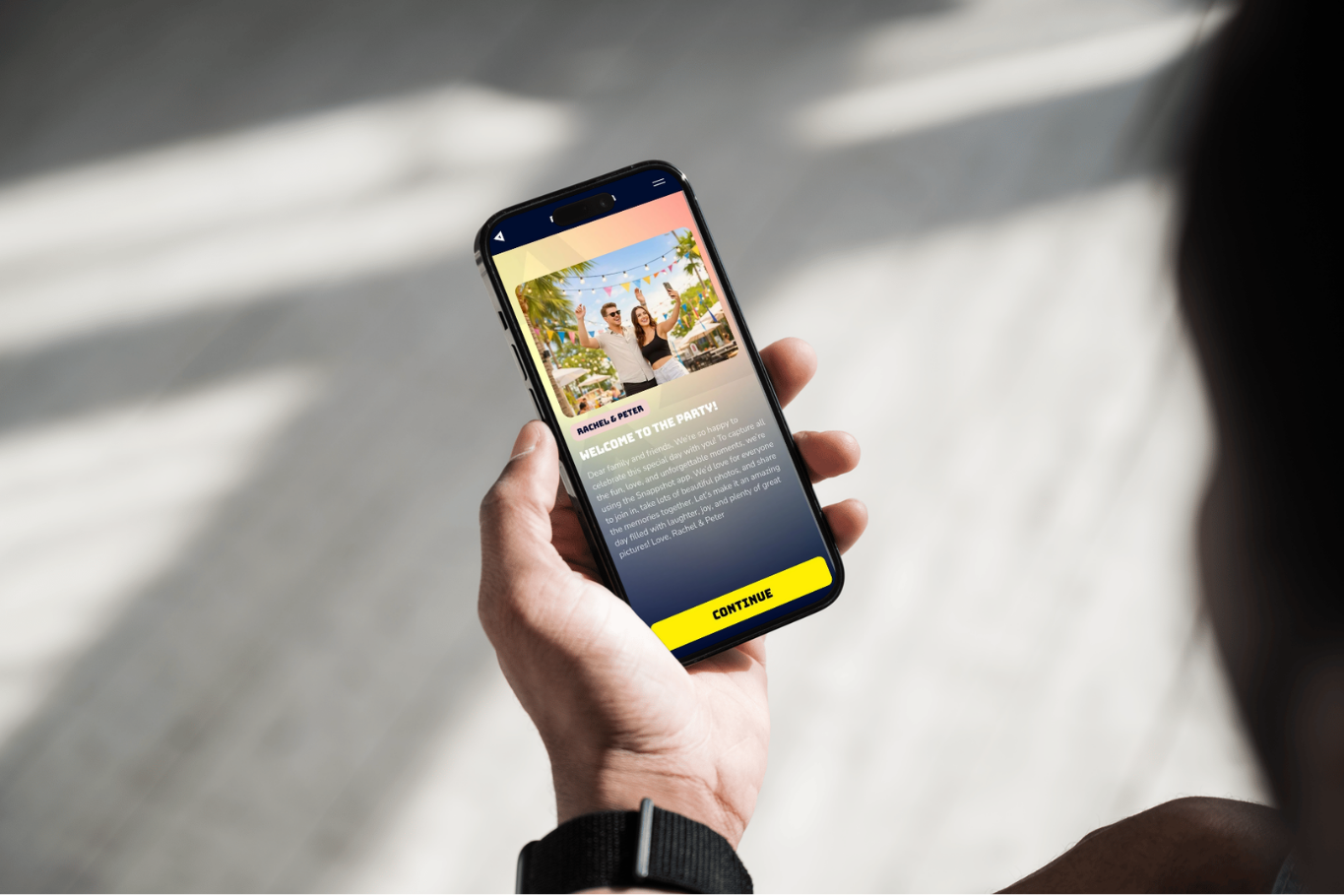
Yes, both you and all your guests need to download the Snappshot app. The app is available in the Google Play Store and the Apple App Store. 📲 You can easily send the party flyer via the MYSnappshot portal, under the heading ‘personalize’ → ‘Flyer’. 📸

Can Snappshot be used for business events?

Definitely! Snappshot works just as well for private parties as for business events — whether it's a conference, seminar, company party or team building day. 🎉📸

Can I share the photos with friends and family?

Absolutely! 🎉 You can share your party photos with friends and family straight away using the link to your Snappshot album. Everyone can view, download and share the photos, so the memories last forever! 📸💌 (Note: available up to 30 days after the party.)

Is it easy to become a Snappshot partner?

It is! 🎉 Whether you're a DJ or you run a party venue, becoming a Snappshot partner is really straightforward. We offer simple integration options so you can get started quickly. As a partner you get access to exclusive benefits and you can offer your clients a great photo experience. Get in touch and we'll tell you all about it! 📸✨

How do I get access to my party or event?

When you purchase a party code, you'll receive an email asking you to create an account on our MYSnappshot platform. 🎉 Once your account is set up, you get access to an easy-to-use environment where you can personalise and manage everything. Setting up your party or event is quick and really simple! 📸✨

Will we get a regular stream?

Of course! You can use Snappshot for any type of party as long as you have a (large) screen or projector available to present the photo feed. Creating an account and setting it up takes just 60 seconds!

Can photos be uploaded from the phone's gallery?

Uploading photos from your gallery is definitely possible! 🌟 Just make sure you switch it on in our MYSnappshot portal. Go to Personalise ➡ Privacy ➡ Upload photos from gallery and enable the option. ✅

Can I download my photos after the party?

After the party you'll receive a link to all the photos taken. You can use that link to share the photos with your guests easily. 📸 Note: photos are available to download for up to 30 days after the party! ⏳

Can I create a photo album through your app?

Guests can submit photos throughout the day of the party, and those photos are automatically brought together into a great-looking visual album. After the party you can easily browse all the photos and share them with your guests.

Does every photo have to be approved manually?

With our premium package you're in full control! 🎉 In MYSnappshot you decide whether submitted photos need manual approval or go straight onto the Snappshot photo feed. That way you can shape the feed exactly the way you want. 📸✨

How do I upgrade from Prime to Premium?

When you purchase a Snappshot package you get access to our online portal MYSnappshot. Once you're logged in you can upgrade your package easily — the button is on the right-hand side and says "upgrade to Premium".

How can guests join my event?

Guests open the Snappshot app, choose "Join Party" and enter the party code they received from the host — usually via the party flyer. 🎉 Once they've entered the code they can see themselves on the live Snappshot feed straight away and enjoy the photos in real time! 📸

How do I show the photo feed on a big screen?

To show the photo feed on a big screen, log in to MYSnappshot, click the "Show screen" button and put your browser in fullscreen with F11. Then connect your laptop to a screen or projector using an HDMI cable. 📺

How do I send out the party flyer?

You can send the party flyer straight from your MYSnappshot environment, under "Personalise" → "Flyer". It's a quick way to give your guests the party code and access to the Snappshot app! 🎉

Can I delete photos after they've been uploaded?

Yes, you can remove photos at any point during the party through the MYSnappshot portal. That gives you control over which photos stay visible in the live feed! 📸

How do I promote my party with Snappshot?

You can easily promote your party with Snappshot by using our party flyer! 🎉 We generate a flyer with the unique party code and 3 simple steps to use Snappshot. This way your guests can quickly get started and share their photos! 📸✨

Will we get a regular stream?

Of course! You can use Snappshot for any type of party as long as you have a (large) screen or projector available to present the photo feed. Creating an account and setting it up takes just 60 seconds!

Do you also work with a QR code?

Yes, this is also one of our possibilities. On request we can generate a party code and make it visible on the screen display.

How long do my photos stay available?

Your photos stay available on our MYSnappshot platform for 30 days after the party. After that they're removed. 📸✨

Do I need to use the Snappshot app to take photos?

Photos can only be uploaded through the Snappshot app, which keeps things simple and accessible for everyone! 📸 Guests take photos in the app and they appear on the photo feed right away. ✨

Can I share the photos with friends and family?

Absolutely! 🎉 You can share your party photos with friends and family straight away using the link to your Snappshot album. Everyone can view, download and share the photos, so the memories last forever! 📸💌 (Note: available up to 30 days after the party.)

Is there a limit to how many photos we can take?

With all our paid packages there's no limit to the number of photos you can take. Our premium package gives you the complete Snappshot experience for your wedding — take a look at the package overview for all the details! 📸✨

Will we get a regular stream?

Of course! You can use Snappshot for any type of party as long as you have a (large) screen or projector available to present the photo feed. Creating an account and setting it up takes just 60 seconds!

Can photos be uploaded from the phone's gallery?

Uploading photos from your gallery is definitely possible! 🌟 Just make sure you switch it on in our MYSnappshot portal. Go to Personalise ➡ Privacy ➡ Upload photos from gallery and enable the option. ✅

Can I download my photos after the party?

After the party you'll receive a link to all the photos taken. You can use that link to share the photos with your guests easily. 📸 Note: photos are available to download for up to 30 days after the party! ⏳

Does every photo have to be approved manually?

With our premium package you're in full control! 🎉 In MYSnappshot you decide whether submitted photos need manual approval or go straight onto the Snappshot photo feed. That way you can shape the feed exactly the way you want. 📸✨

How do I show the photo feed on a big screen?

To show the photo feed on a big screen, log in to MYSnappshot, click the "Show screen" button and put your browser in fullscreen with F11. Then connect your laptop to a screen or projector using an HDMI cable. 📺

How can guests upload photos?

Guests upload photos simply by tapping "Send Snapp" in the Snappshot app. The photos appear on screen in chronological order and refresh automatically whenever a new one is added. 📸✨

Does Snappshot work on both Android and iOS?

Yes, the Snappshot app is available for both Android (Google Play) and iOS (Apple App Store). 📲

Can I show photos on screens?

With Snappshot, photos are uploaded in real time and shown on screen straight away, so everyone can see the fun moments as they happen. ✨

Is downloading the photos afterwards free?

There are no extra costs for downloading photos. With any of our packages, downloading is completely free. 📸✨

Do you also work with a QR code?

Yes, this is also one of our possibilities. On request we can generate a party code and make it visible on the screen display.

Want to use Snappshot for business?

Are you a business customer?

Then visit our business page
More info

Still have a question?

For more information Send a message

We understand that a lot might be coming your way when you want to know more about Snappshot. If your question isn’t listed above or if you’re feeling overwhelmed, don’t hesitate to contact us. Click the button below to see how you can get in touch with us.

Please contact us